Getting Started in Ragdoll Destruction
From first join to your first town-wide reset on the Roblox physics sandbox.
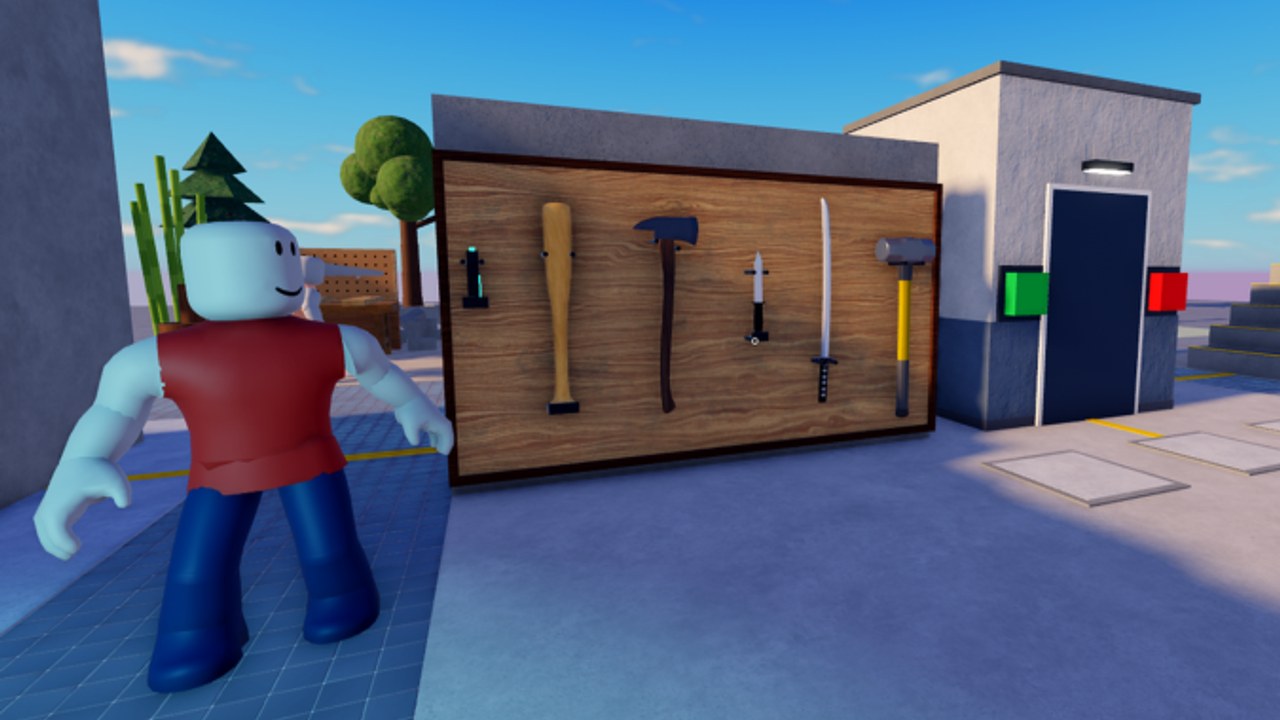
Ragdoll Destruction - full Roblox title Ragdoll Destruction Playground - is a free physics sandbox from Harpax Dev. You get a private server (maxPlayers 1), a destructible town, intelligent ragdolls, and a toolbox that grows as you earn Funding or buy unlocks. This guide walks you through the first session so you understand the loop before you dump Robux into the wrong boost.
Before you press Play
- Open the official place (place
135471930388646, universe10774468211). - Confirm the creator is Harpax Dev - similarly named ragdoll games are easy to confuse, especially when hunting codes.
- Expect solo only today. Friends cannot join your server yet; multiplayer is planned.
- Skim maturity labels (light blood / violence). This is a destruction toy, not a story RPG.
Minute zero: spawn and look around
When you load in, you stand in a town-scale playground. Facades, props, and ragdoll NPCs are your toys. There is no quest tracker yelling at you. Your job is simple: wreck things, watch the physics, earn Funding, unlock louder tools, reset, repeat.
Camera and movement feel like a standard Roblox experience; tool-specific quirks are covered in Controls. If the UI feels busy, pause and identify three things only: your equipped tool, the Funding readout, and the map reset option mentioned in the official description.
Pick a starter weapon and cause a small mess
Early toys include melee and firearms that punch holes in walls or launch ragdolls. Do not sprint straight to the biggest explosive if you are still learning camera angles - start with something readable:
- A sledge or similar impact tool to feel structural breaks.
- A basic firearm to chip facades from a safe distance.
- Props you can shove into doorways just to see collisions stack.
Once you are comfortable, graduate to the louder kit described in Weapons and Explosives - minigun spray, chainsaw close work, planted explosives, and fire spreads. The Weapons Tier List ranks those toys for chaos fun if you want a subjective shopping order.
Understand Funding before you open the Robux shop
Funding is the in-session currency. You earn it by playing - demolitions, experiments, and general sandbox time feed the meter. You spend it to unlock items. Robux shortcuts exist if you are impatient:
- Grants: Small 49 R$, Research 149 R$, Endowment 279 R$.
- Direct item unlocks: roughly 49 - 199 R$ depending on the toy.
- Passes: Plasma Pack (~300), unlimited slow motion (often ~199, sometimes listed near 399), chainsaw (~99), jetpack (~99 - 150).
Read Funding and Shop before buying a 1-hour 2× boost - four 15-minute boosts are usually better Robux-per-hour value. Slow-mo addicts should compare charge packs versus the unlimited pass in Slow Motion.
Your first “proper” run (10 - 15 minutes)
- Spawn and equip a simple impact or gun tool.
- Collapse one storefront or wall section - watch how debris and ragdolls react.
- If you own explosives or fire tools, stage a second beat a short distance away so the camera can catch both.
- Tap slow motion during the best collapse if you have charges.
- Note how much Funding you gained.
- Unlock one new toy you actually want, not three you will ignore.
- When the street is unreadable rubble, reset the map and start a clean composition.
That reset advice comes straight from the game’s own description: do not forget to reset when you are ready to cause more destruction. Leaving a fully flattened town just makes the next experiment harder to stage.
What not to worry about on day one
- Codes - none are active for this game; ignore wrong-game lists on the Codes Hub.
- Scripts - no reliable game-specific scripts; see the Scripts Hub for safety notes instead of injectors.
- Leaderboards / cooperative quests - not the fantasy here. You are practicing spectacle on a private map.
- Perfect optimization - this is a physics toy. “Meta” means “what looks cool on your recording,” which is why our tier list is labeled subjective.
After the first reset
Deepen the hobby:
- Practice camera paths so collapses stay on-screen (Controls).
- Mix fire + explosives + slow-mo for signature clips (Slow Motion).
- Track new toys in the Updates Hub, especially the Minigun and Chainsaw update.
- Build solo habits that will still matter when multiplayer arrives (Players Hub).
Official links and the rest of the wiki map live on the Links Hub. When you finish this page, you should be able to join, demolish, earn, unlock, reset, and explain Funding to a friend without opening a second tab.
Frequently Asked Questions
Quick answers to the most common questions.
Is Ragdoll Destruction free to play?
Yes. The experience is free on Roblox. Optional Robux purchases buy Funding grants, item unlocks, boosts, and passes.
Can my friends join my server?
Not yet. Servers are solo-only (maxPlayers 1). Multiplayer is planned by Harpax Dev - follow the Updates Hub for news.
What is Funding?
Funding is the session currency you earn while playing and spend on unlocks. You can also buy Funding grants with Robux.
Why should I reset the map?
A fully destroyed town is hard to stage. Resetting gives you clean buildings and ragdolls for the next experiment, as the official description recommends.
Where do I go after this guide?
Read Controls, then either Weapons and Explosives or Funding and Shop. Check Codes only to confirm there are still no active promos.